Indicators
Updated:
The Session Imbalance indicator highlights key price levels from the first hour of trading, known as the Initial Balance. These levels are considered significant because the majority of trading volume in any session enters during this opening hour.
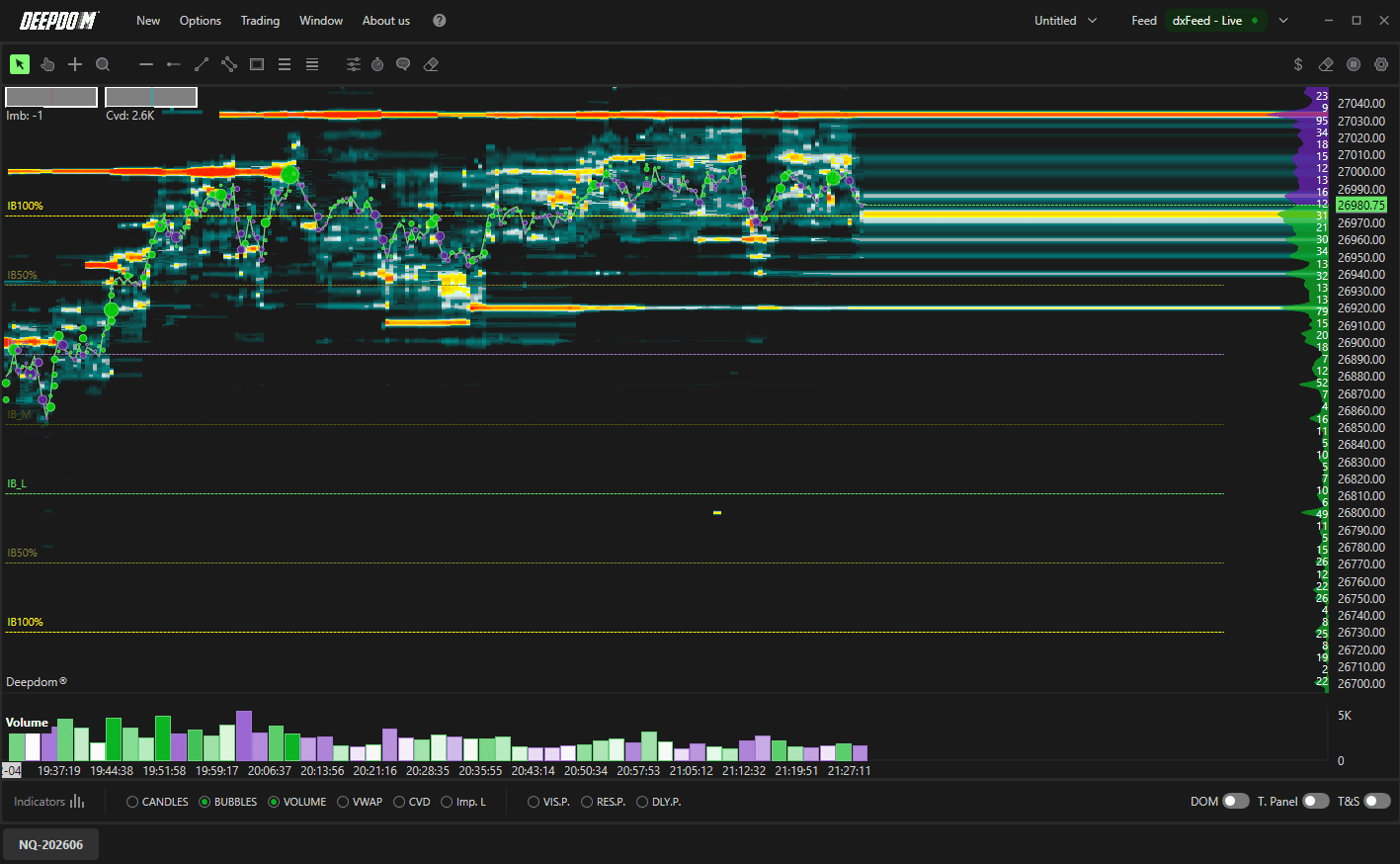
For U.S. futures, this corresponds to 9:30 – 10:30 a.m. market time. Over the course of the session, these levels often act as important support, resistance, or reaction zones.
The indicator plots the following levels:
IBH (Imbalance High) — the high of the initial balance period
IBL (Imbalance Low) — the low of the initial balance period
IBM (Mid Point) — the midpoint between IBH and IBL
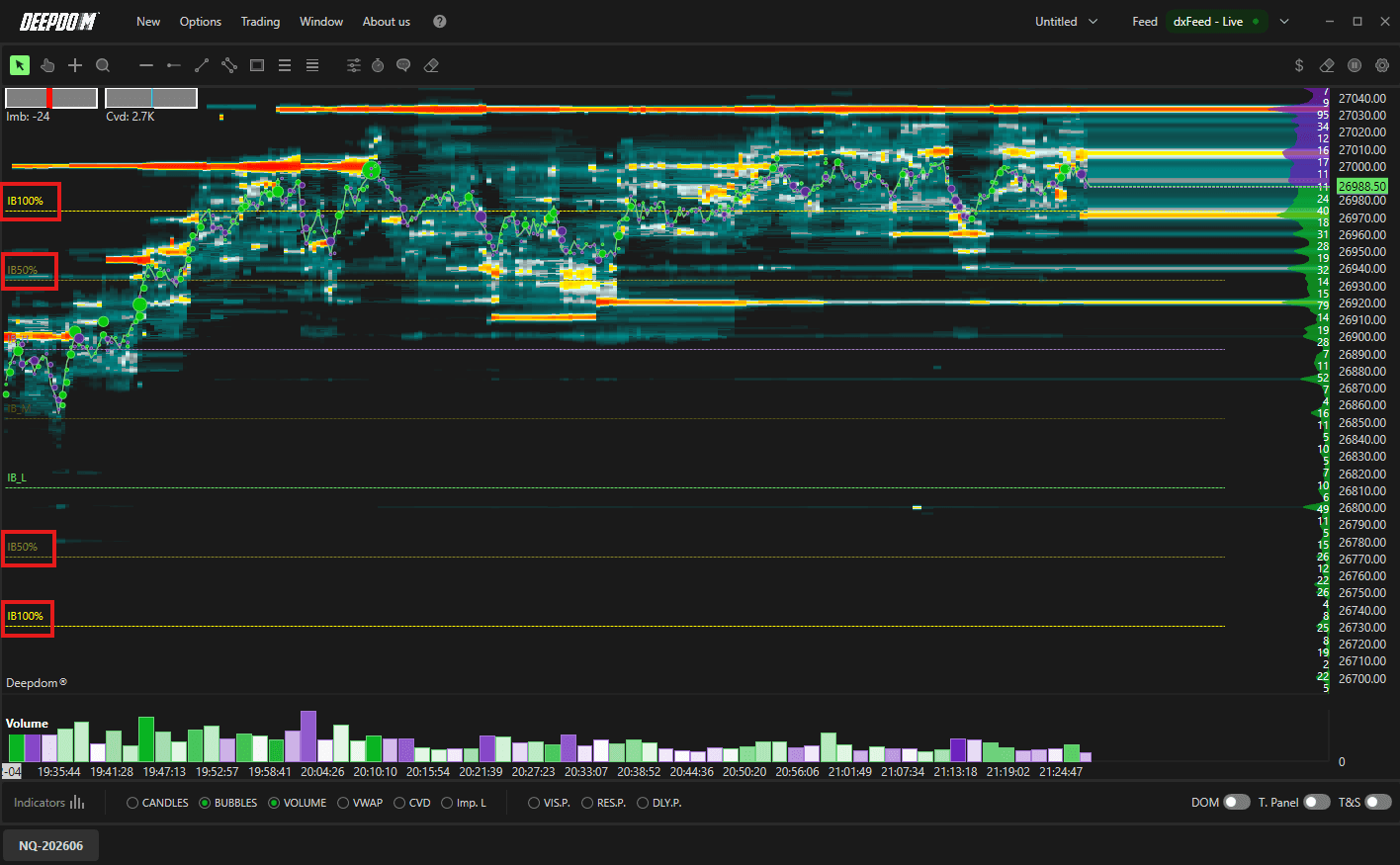
IB50% — 50% extensions above and below the initial balance
IB100% — 100% extensions above and below the initial balance

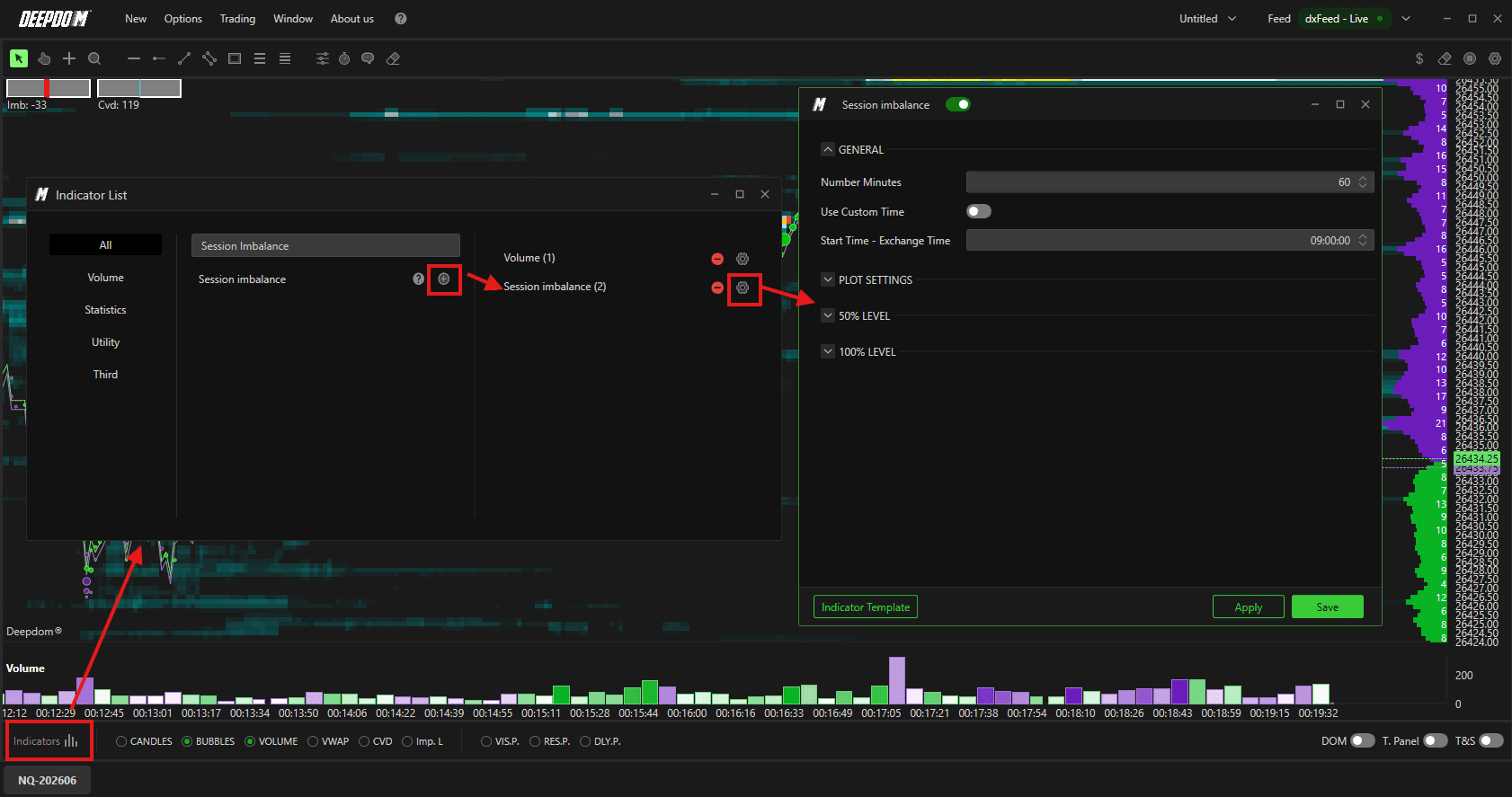
How to Add the Session Imbalance to Your Chart
Click the Indicators icon on the chart
Find Session Imbalance in the list and click + to add it
Click the settings icon on the indicator to open its configuration window
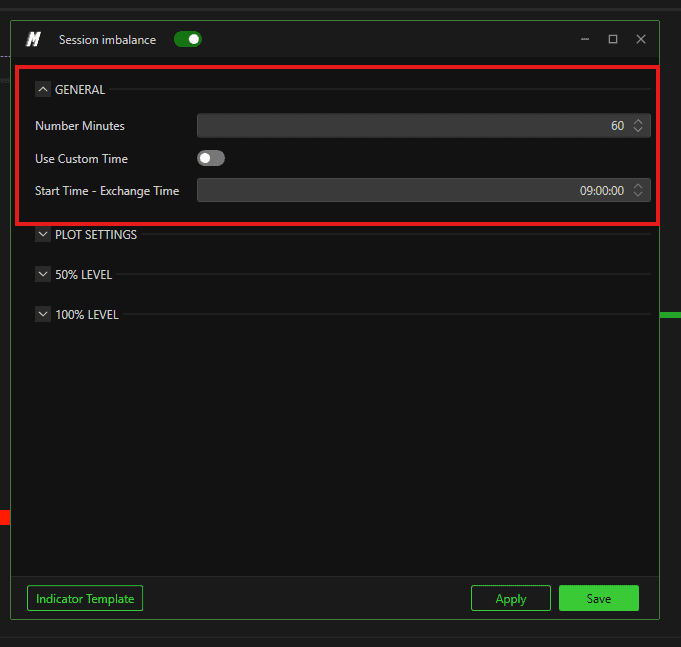
General Settings
Number of Minutes Defines how many minutes are used to calculate the Initial Balance. The default is 60 minutes to capture the first full hour of trading. However, you can adjust this — for example, set it to 15 to use only the first 15 minutes. You can also apply multiple Session Imbalance indicators with different time intervals on the same chart.
Custom Timeframe When enabled, this allows you to manually define a custom session start time instead of using the default.
Start Session – Market Time Defines the start time of the session. Important — always enter the time of the reference market, not your local time zone.
U.S. futures → 9:30 a.m.
European futures → 9:00 a.m.
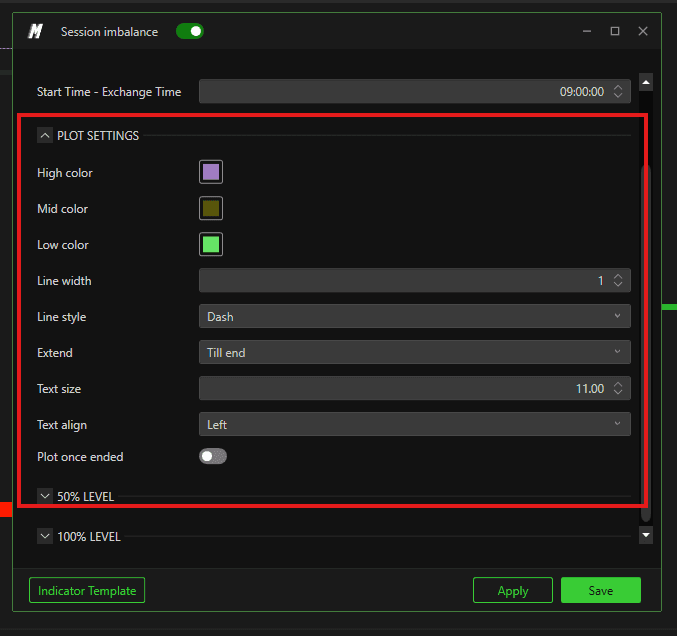
Plot Settings
High Color Sets the color of the IBH (Imbalance High) line.
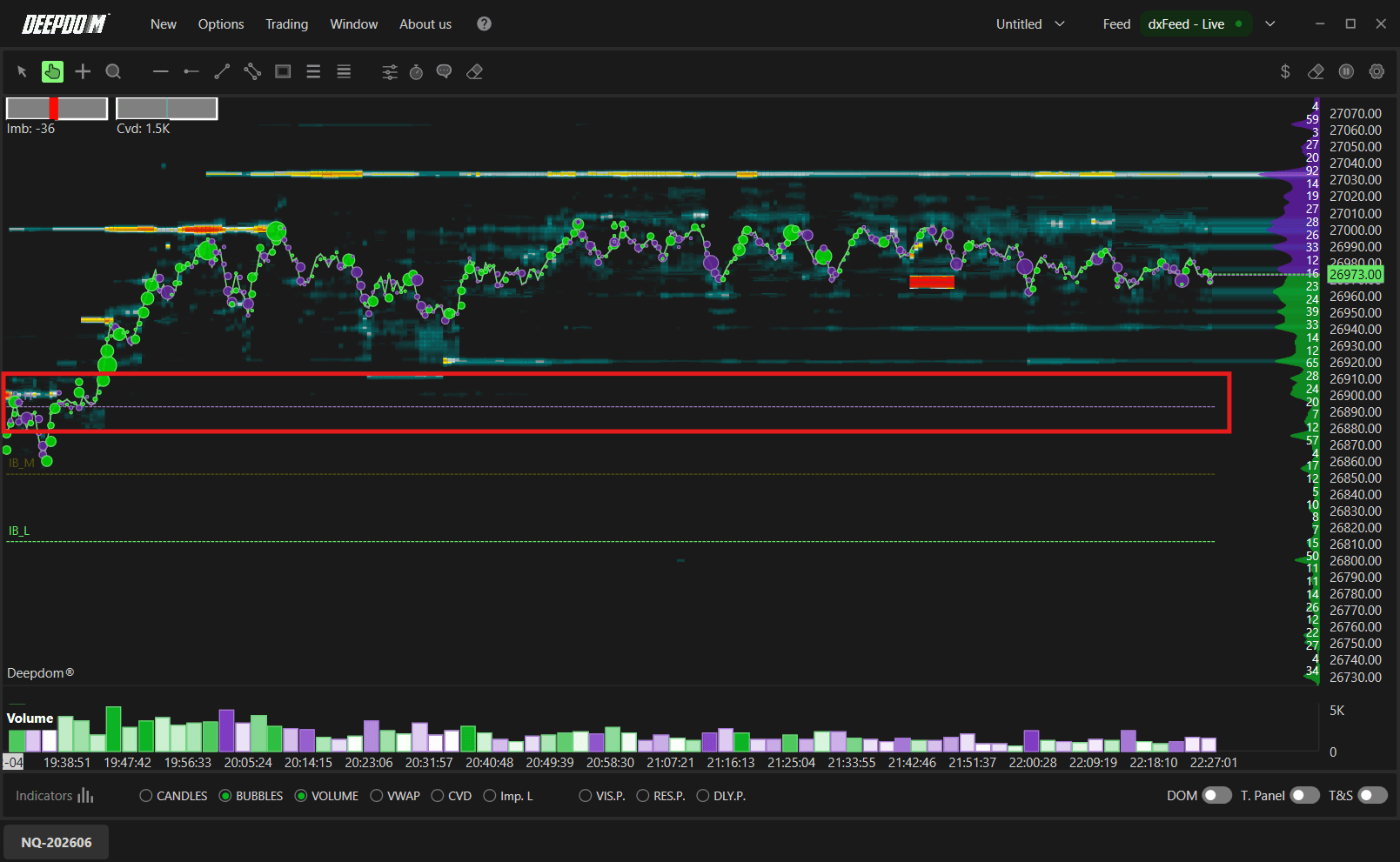
Mid Color Sets the color of the IBM (Mid Point) line.
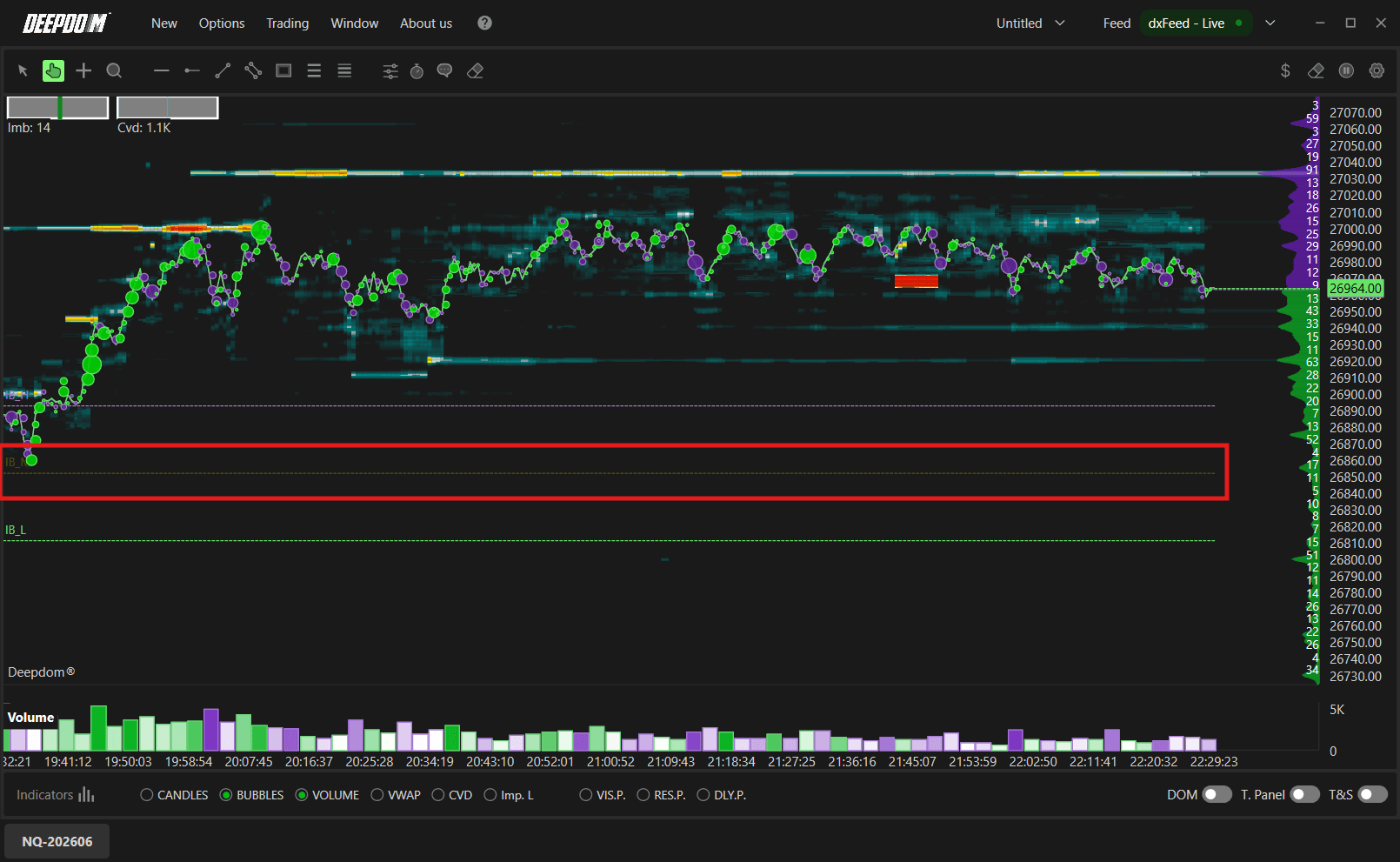
Low Color Sets the color of the IBL (Imbalance Low) line.
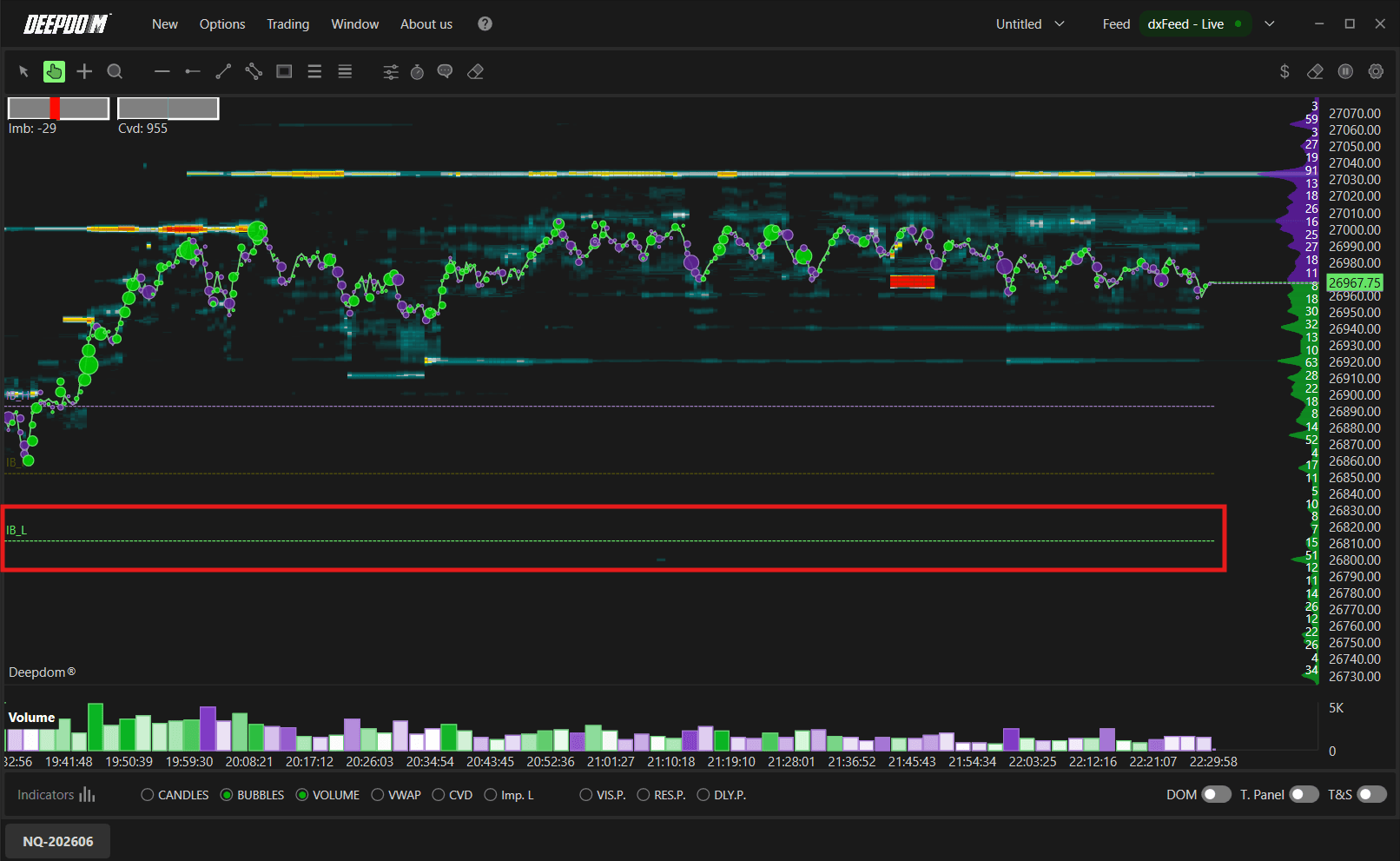
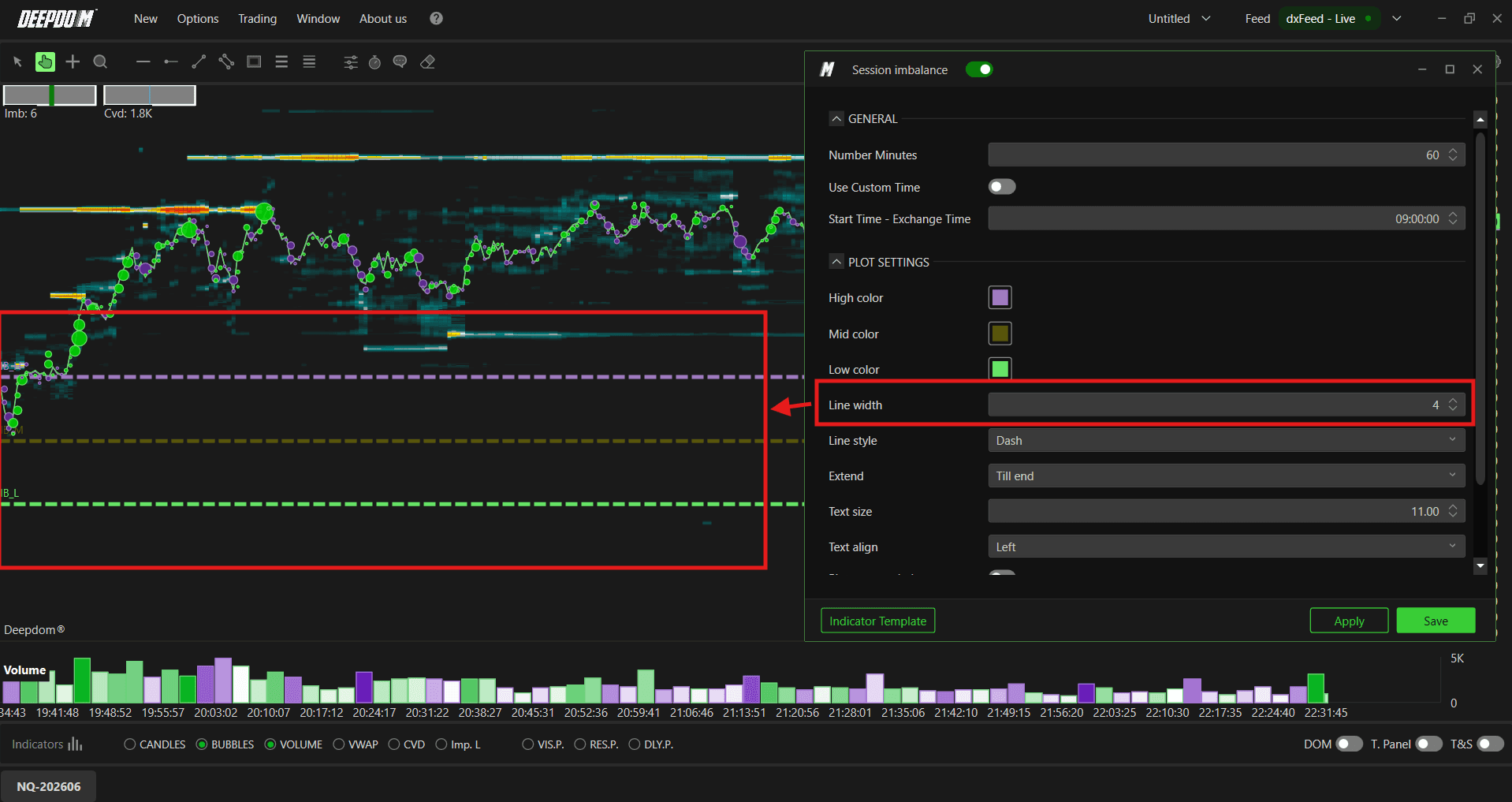
Line Width Sets the thickness of all Session Imbalance lines.
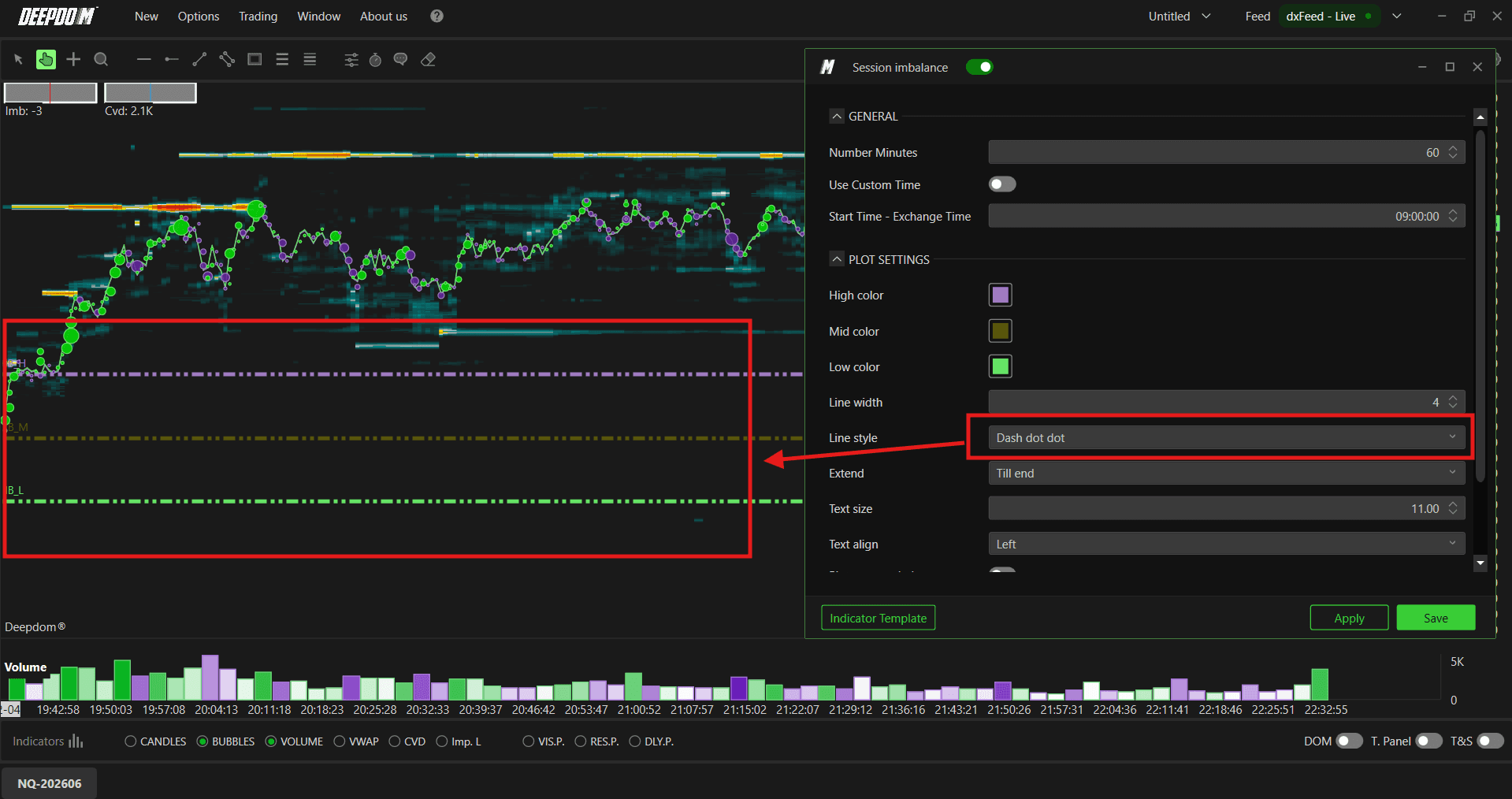
Line Style Sets the style of the lines — for example solid, dashed, or dotted.
Text Size Sets the font size of the labels displayed next to each level.
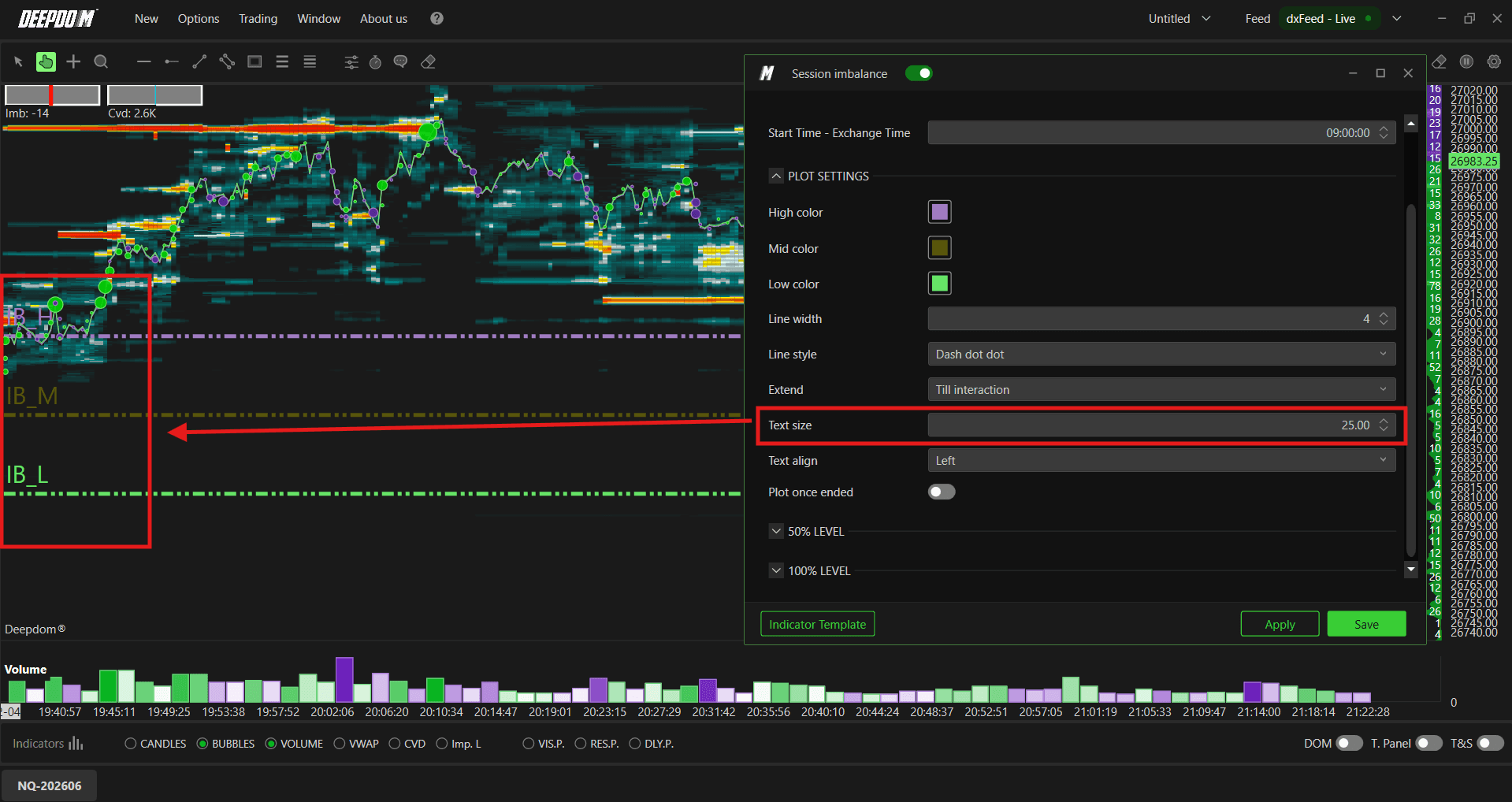
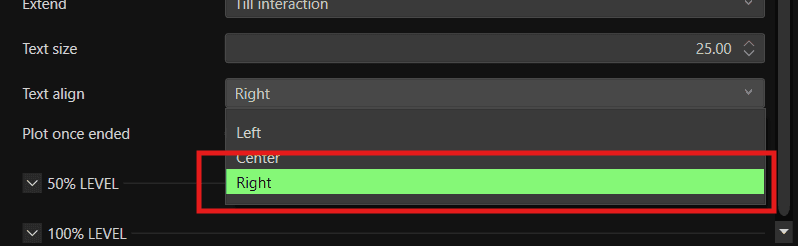
Text Align Sets where the labels appear relative to the lines. You can choose between:
Left
Center
Right
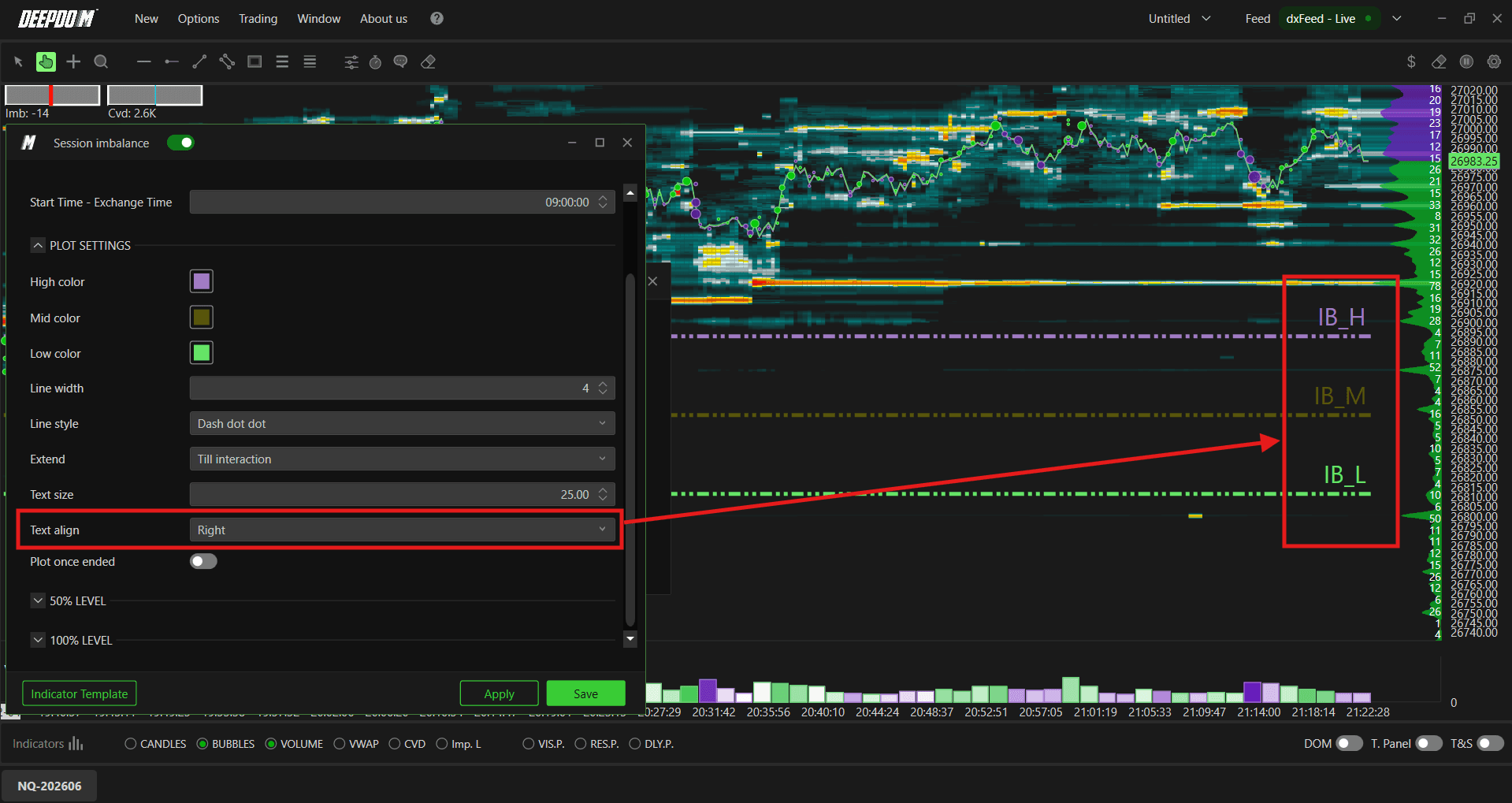
Plot Once Ended When enabled, the Session Imbalance levels are only shown once the initial balance period has fully closed. Useful if you prefer not to see the levels forming in real time.
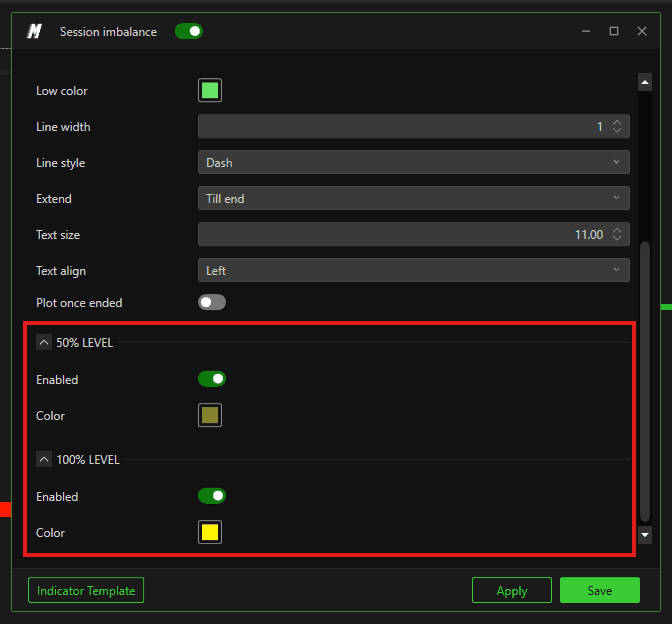
50% / 100% Extension Levels
Enable the 50% and 100% extension lines to plot projected levels above and below the Initial Balance range. Once enabled, you can set a custom color for each extension.
These extensions are commonly used to identify potential targets or reaction zones if price breaks out beyond the initial balance high or low.
Conclusion
The Session Imbalance indicator gives you an instant visual reference for the most important price levels established in the opening hour of trading. Combined with volume and order flow analysis, these levels can significantly improve the precision of your entries and exits throughout the session.
Still Having Trouble?
Our support team is available 24/7 and ready to help you with any issue you encounter.
When reaching out, please include:
A screenshot of the issue
A brief description of what you were trying to do
Support Ticket (Fastest Response) Visit www.deepcharts.com and create a support ticket directly on our website.
Email Support Reach us at support@deepcharts.com — please note that email responses may take a little longer than a support ticket.
