Indicators
Updated:
Deep Delta is an advanced version of Delta Bar that lets you apply filters to the delta and highlight up to four configurable ranges, making it easier to focus on significant buying or selling imbalances.
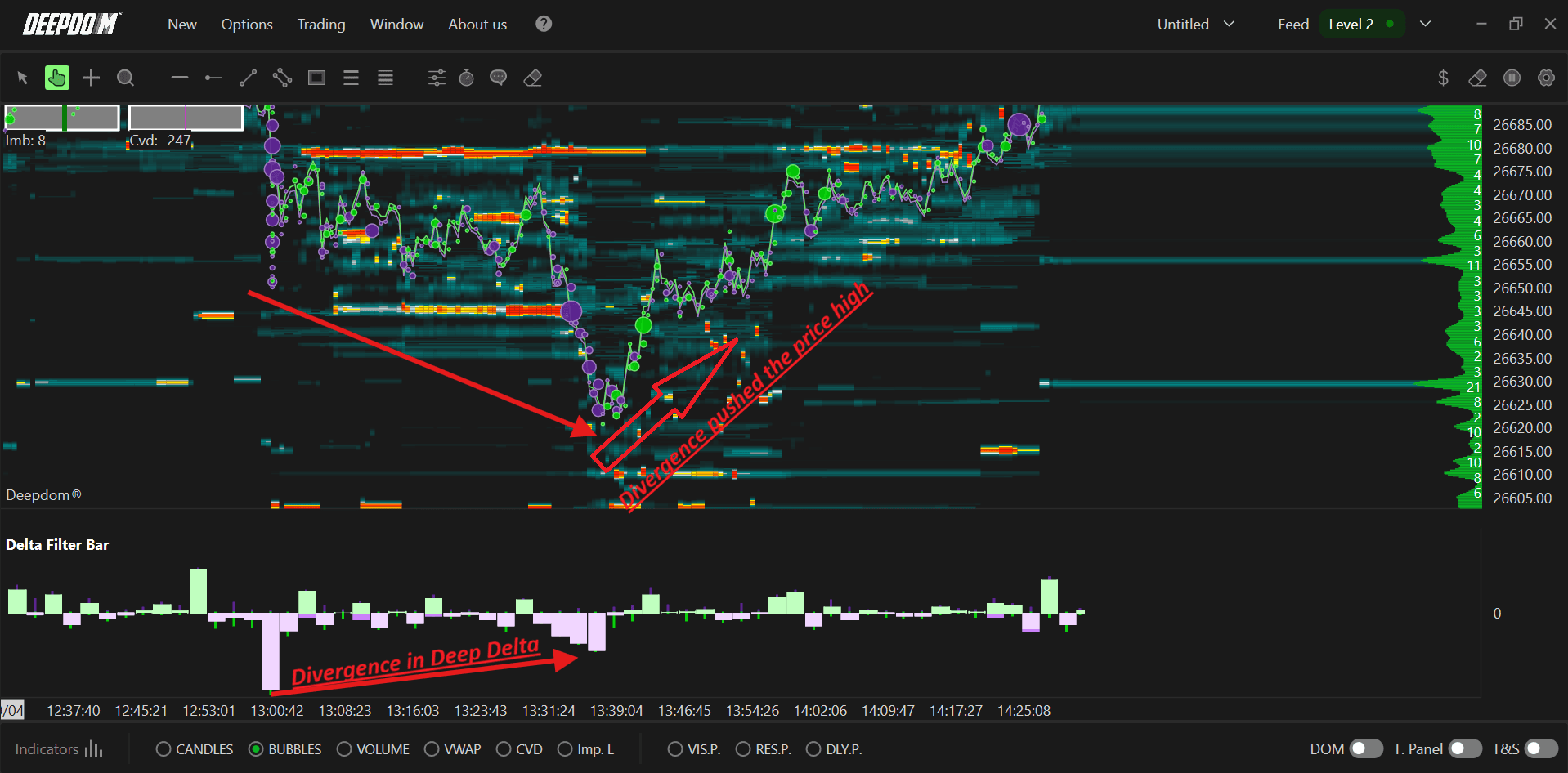
Settings of Use
Open the indicator configuration by clicking its settings icon. The window collects all display options and level controls.
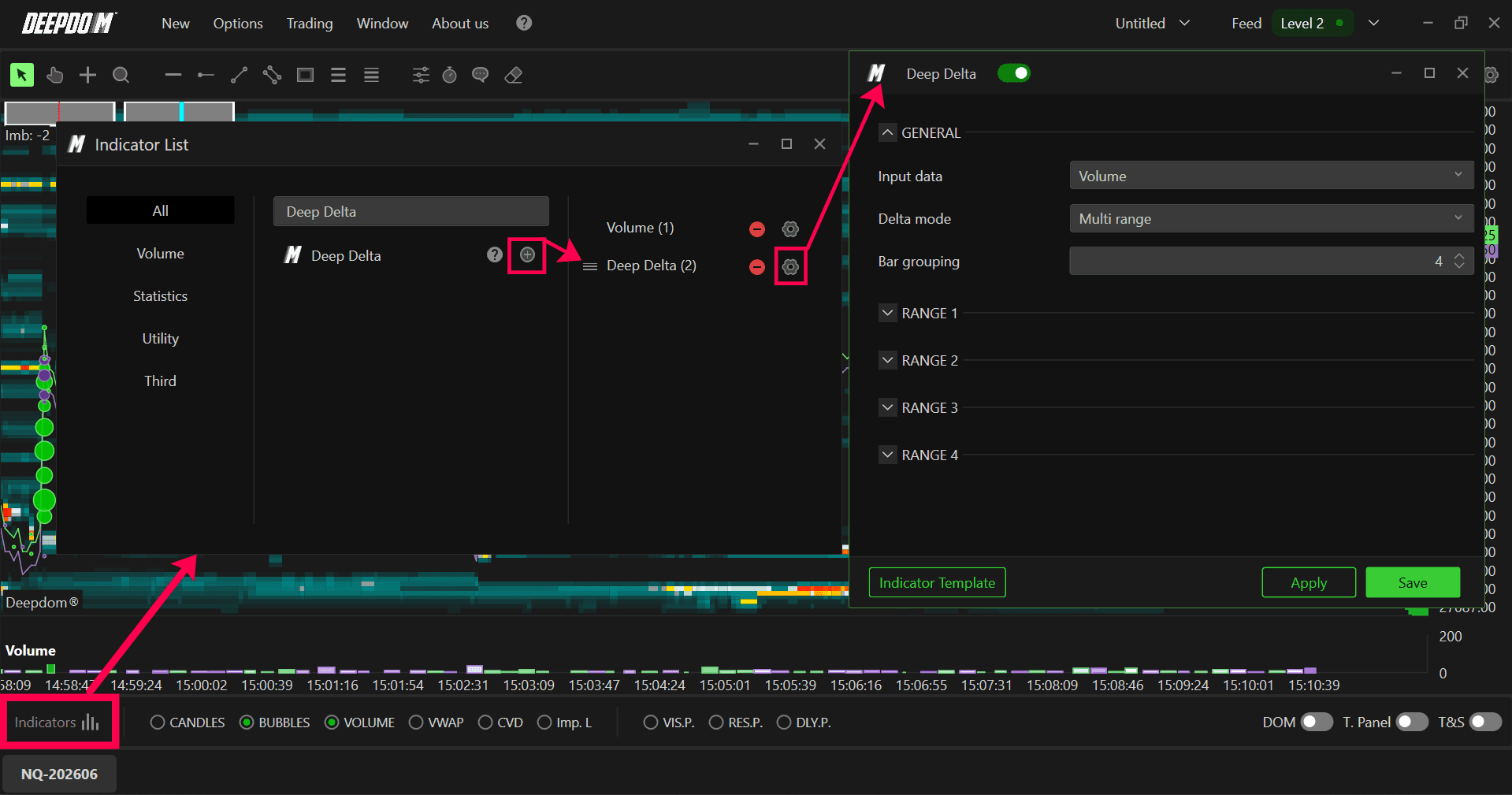
General Settings
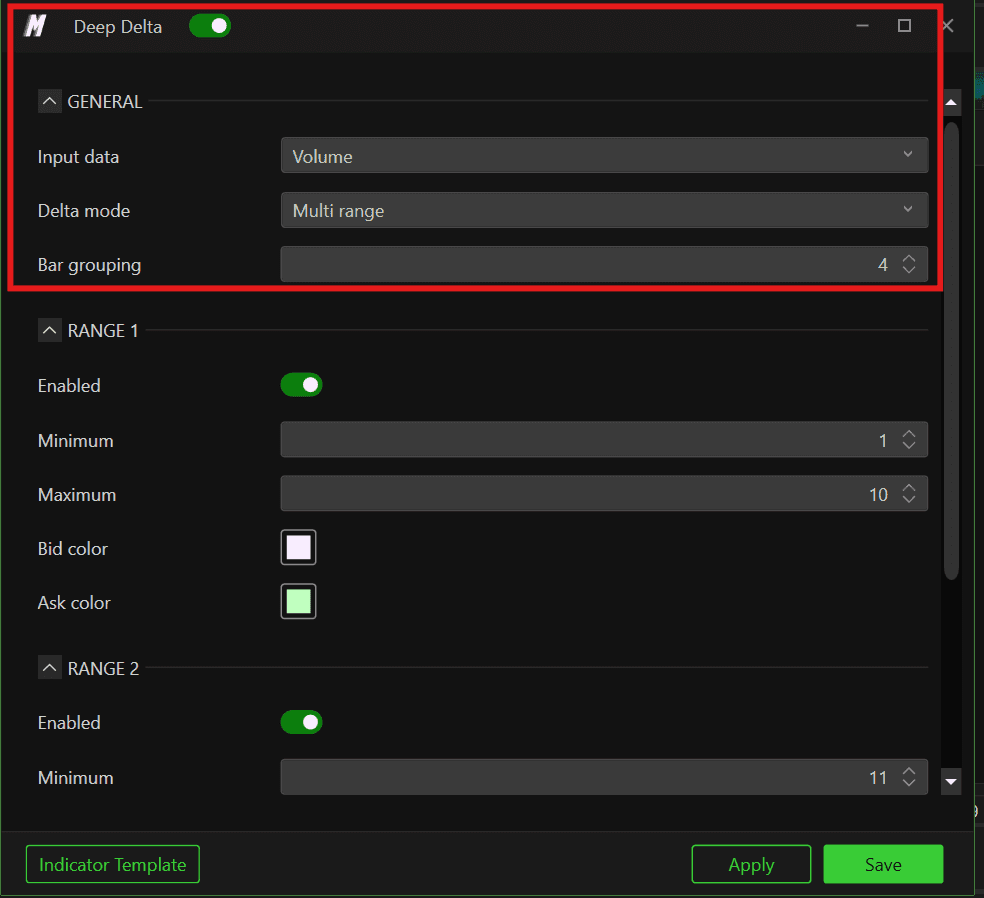
Input Data
Select the database used to compute delta:
Volume – total traded volume at each price.
Aggregate Trades – aggregated volume of trades grouped at the same price level.
Trades – number of trades executed at each price.
Order – order quantities at each price, useful for assessing order pressure.
Delta Mode
Choose how the delta is calculated:
Classic – behaves like the standard Delta Bar.
Multi Range – enables full Delta Filter Bar functionality with multiple filtered ranges.
Bars grouped
Sets how many bars are grouped together. A smaller value produces more detailed information; a larger value smooths the output.

Core Idea
Standard Delta Bars show all imbalances with the same visual weight. Delta Filter Bar adds logic on top:
You define ranges of delta magnitude (e.g., 0–100, 100–300, 300–600, 600+).
Each range can use different colours for Bid and Ask deltas.
Smaller ranges provide context, while larger ranges highlight genuine institutional‑level aggression.
Range 1–4 Configuration
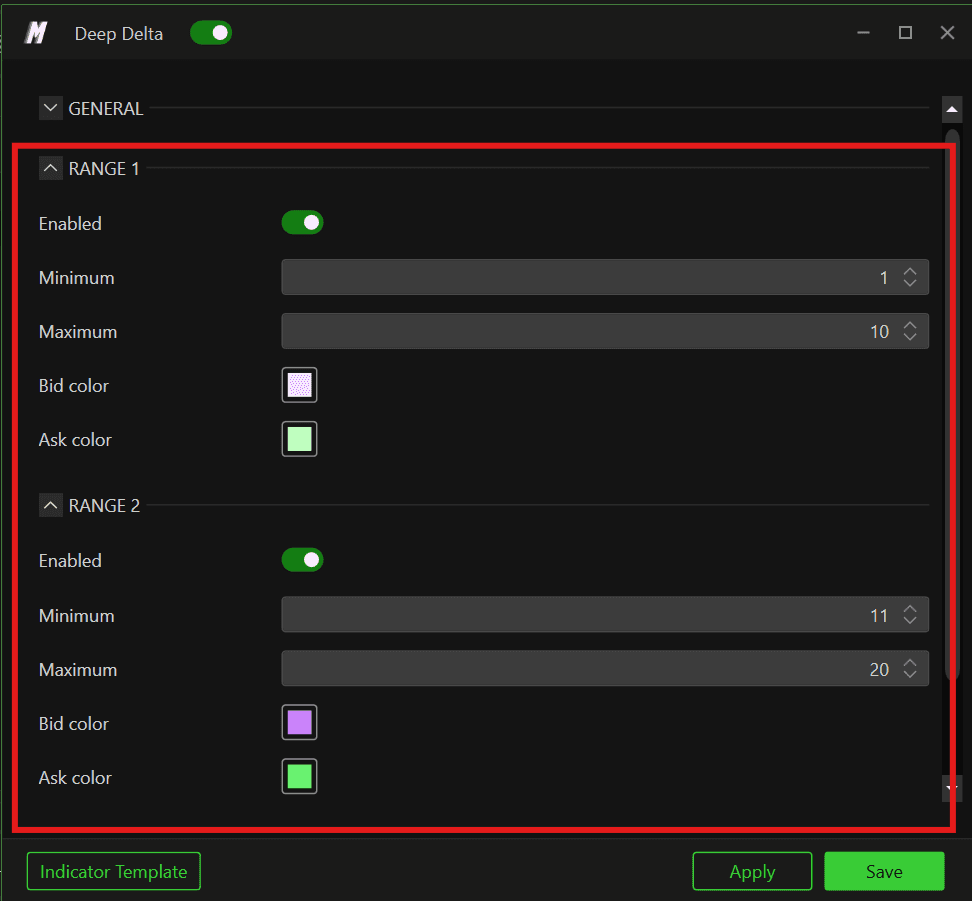
Each range is configured independently and includes:
An Enable toggle.
Min and Max filter fields (delta values).
Colour choices for Bid and Ask deltas in that range.[file:108]
Setting Max = 0 for a range removes the upper limit so that all deltas above the minimum fall into that band.[file:108]
Example – Four‑Tier Delta Map
Range 1: 50–150 contracts (light colours), Range 2: 150–350 (medium), Range 3: 350–700 (strong), Range 4: 700+ (very strong, saturated colours). On the chart, you immediately see where extreme aggression took place because only those bars use the Range‑4 palette.
