Features
Updated:
How to Access Tick Data Replay
You do not need an active data feed to use this feature. To get started:
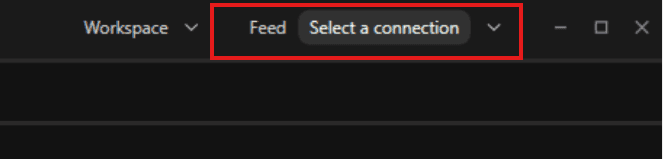
Make-sure the feed is disconnected, if not then disconnect the feed before using reply tool
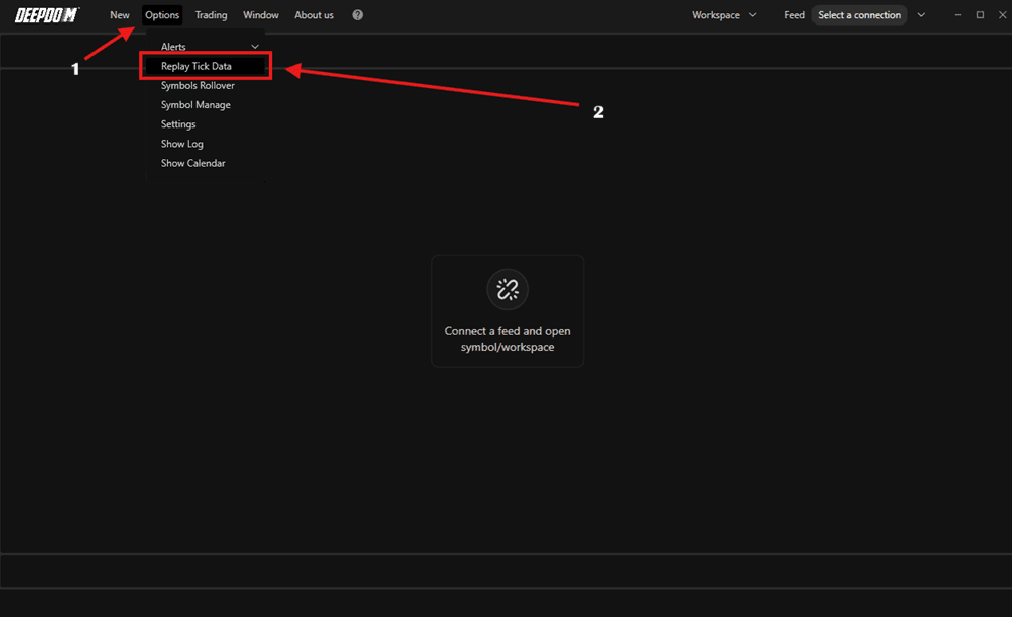
Click on Options
Select Tick Data Replay from the menu
The Replay Management panel will open
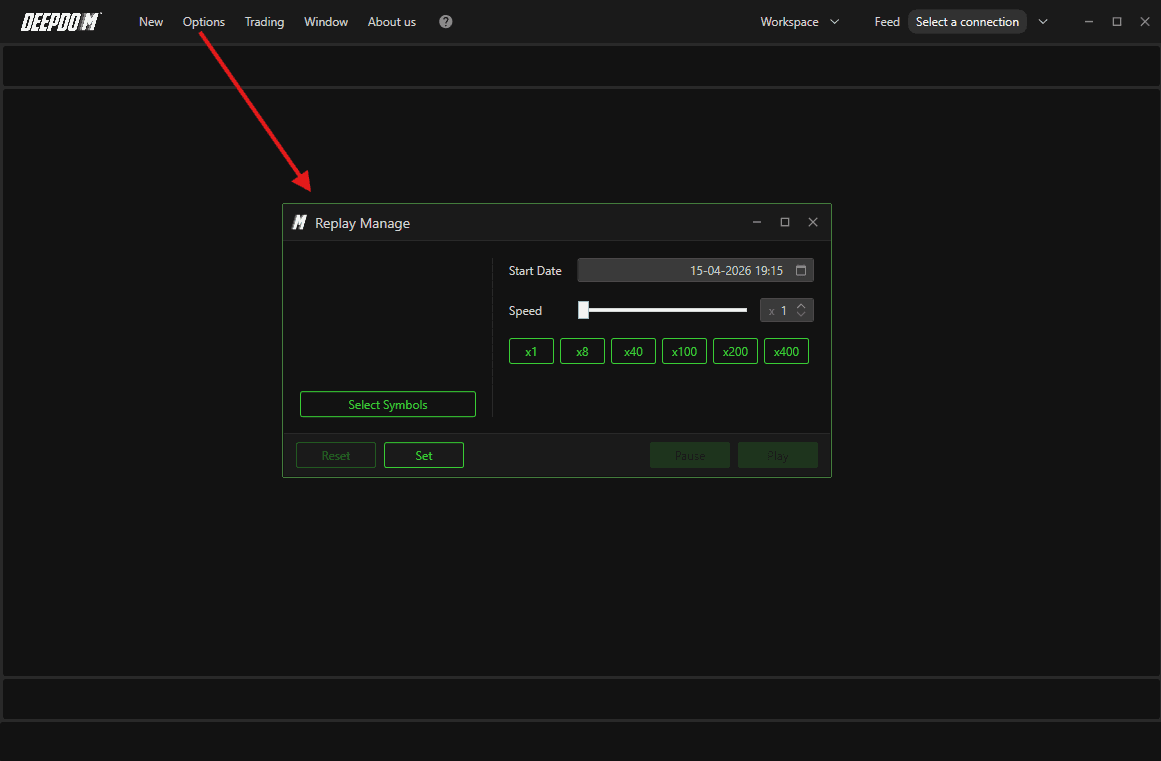
Managing the Replay
Step 1 – Select Your Symbol
In the Replay Management panel, click Select Symbols
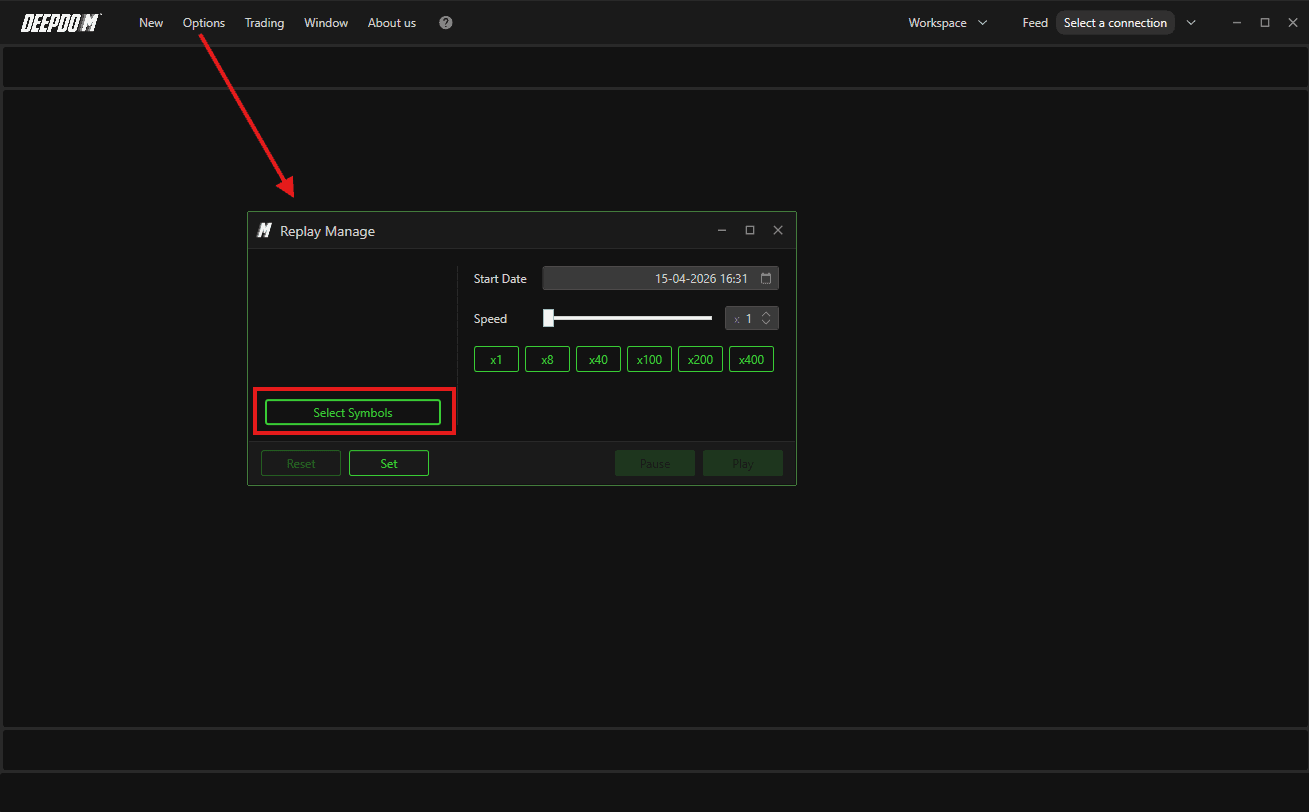
Choose the financial instrument you want to replay
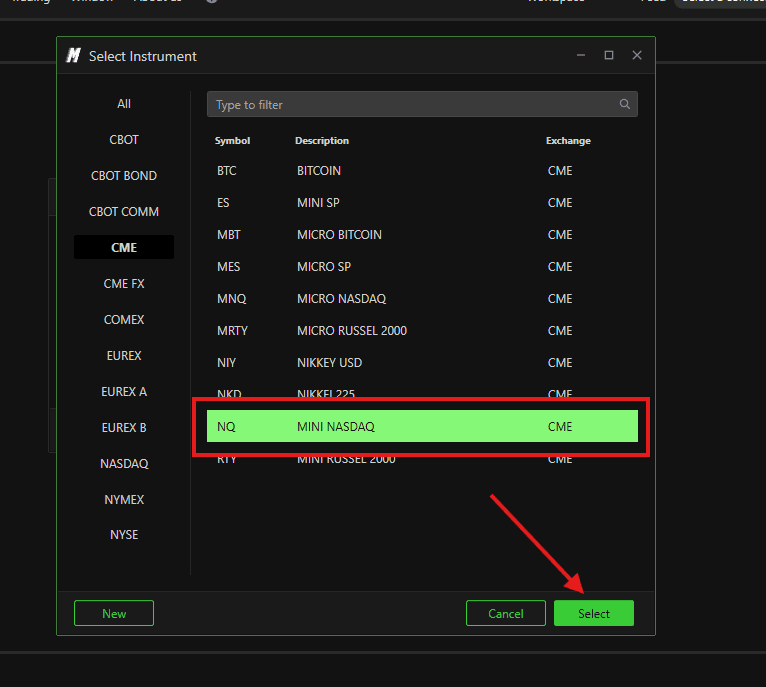
Hold Ctrl while clicking to select multiple instruments and run several replays at the same time (Make-sure if you do this, if your are viewing a Symbol Heatmap and want to place trade over other Symbol from Trading Panel. For Example - Viewing NQ Heatmap and placing trade over MNQ from trading panel)
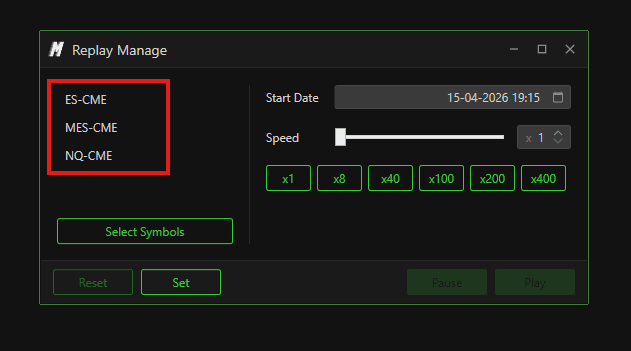
Once selected, open the workspace with the charts for your chosen instrument
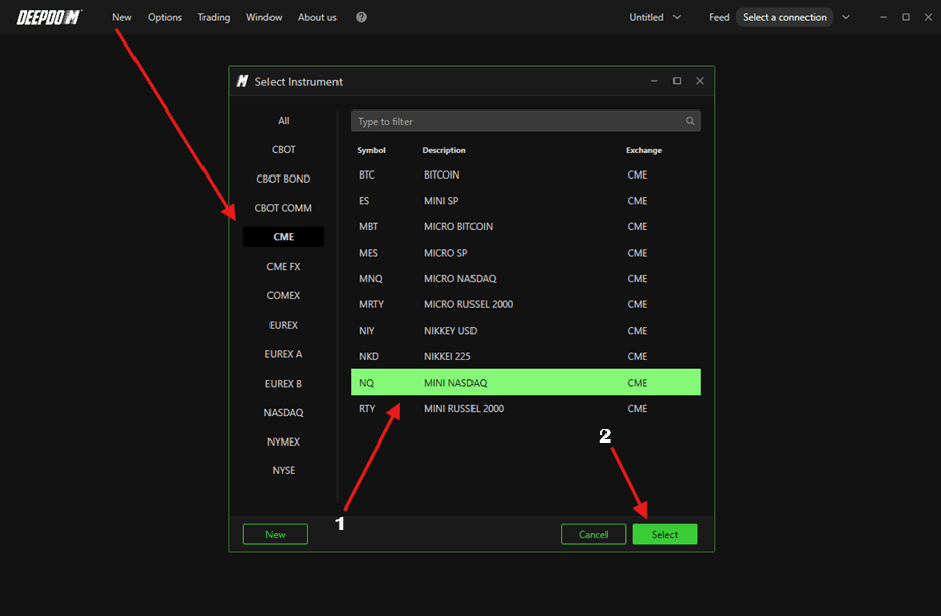
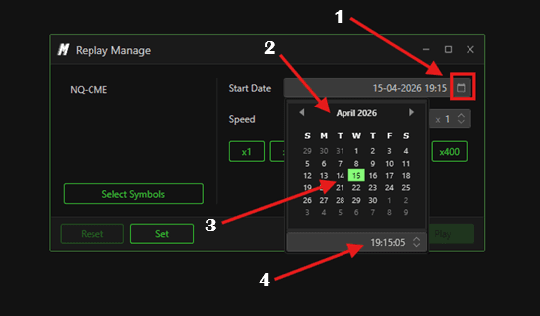
Step 2 – Set the Start Date
Click Start Date to choose the date and time from which you want the replay to begin
Step 3 – Start the Replay
Once everything is configured:
Click Set — the platform will load the selected session
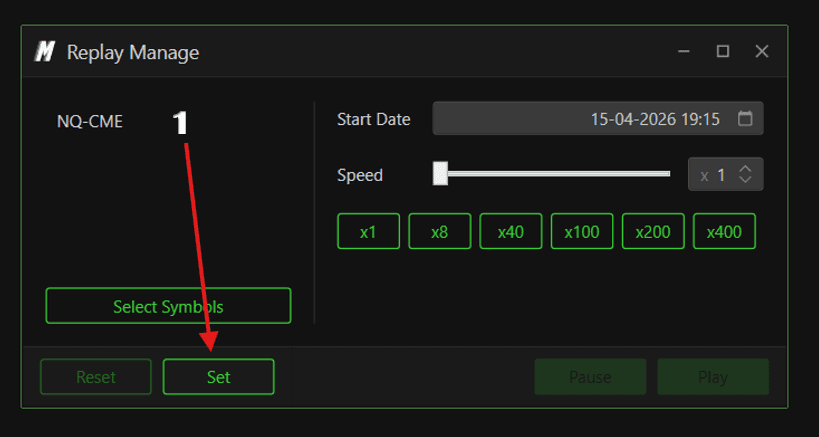
Click Play to begin playback
Click Pause at any time to stop the replay
Use the Speed section to increase the playback speed
Click Reset to stop the replay completely

Simulated Trading
While the replay is running, you can practice placing orders as if you were trading in real time:
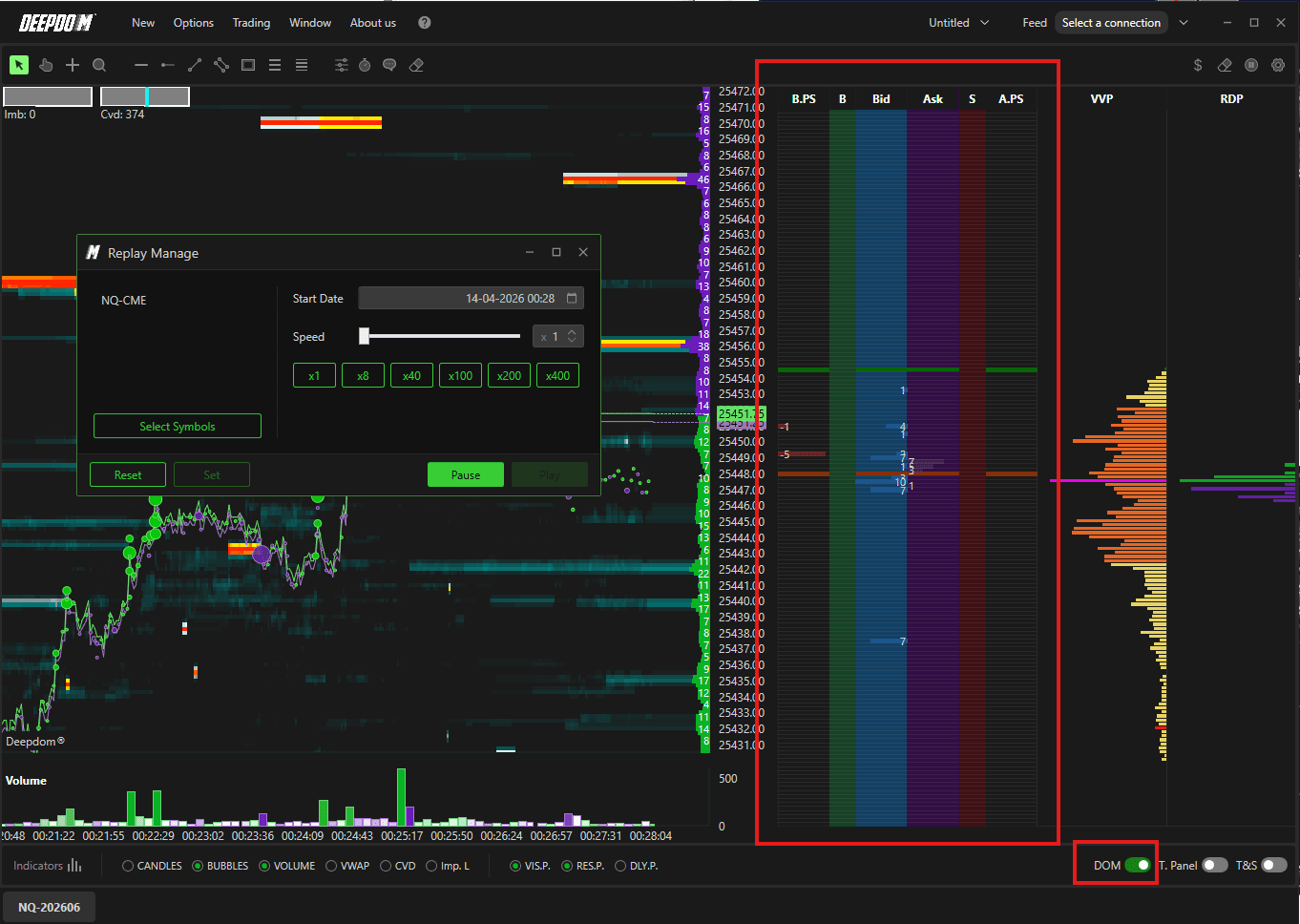
Enable the Trading Panel or the Chart DOM from the toolbar
Place orders in simulated mode directly on the chart
The simulation behaves like a live session, allowing you to test strategies without any real risk
Conclusion
Tick Data Replay is one of the most valuable tools for traders at any stage. Use it to review past sessions, study new instruments without a data subscription, and build confidence through simulated trading before going live.
Still Having Trouble?
Our support team is available 24/7 and ready to help you with any issue you encounter.
When reaching out, please include:
A screenshot of the issue
A brief description of what you were trying to do
Support Ticket (Fastest Response) Visit www.deepcharts.com and create a support ticket directly on our website.
Email Support Reach us at support@deepcharts.com — please note that email responses may take a little longer than a support ticket.
