How to
Updated:
General Procedure

Before changing market associations, verify with your data provider that the required markets are included in your subscription.
Disconnect the data stream and all active connections (remove the check next to the connection name).
Close all open Workspaces.
Go to Options > Symbols Manage.

If Markets Have Not Been Added Before
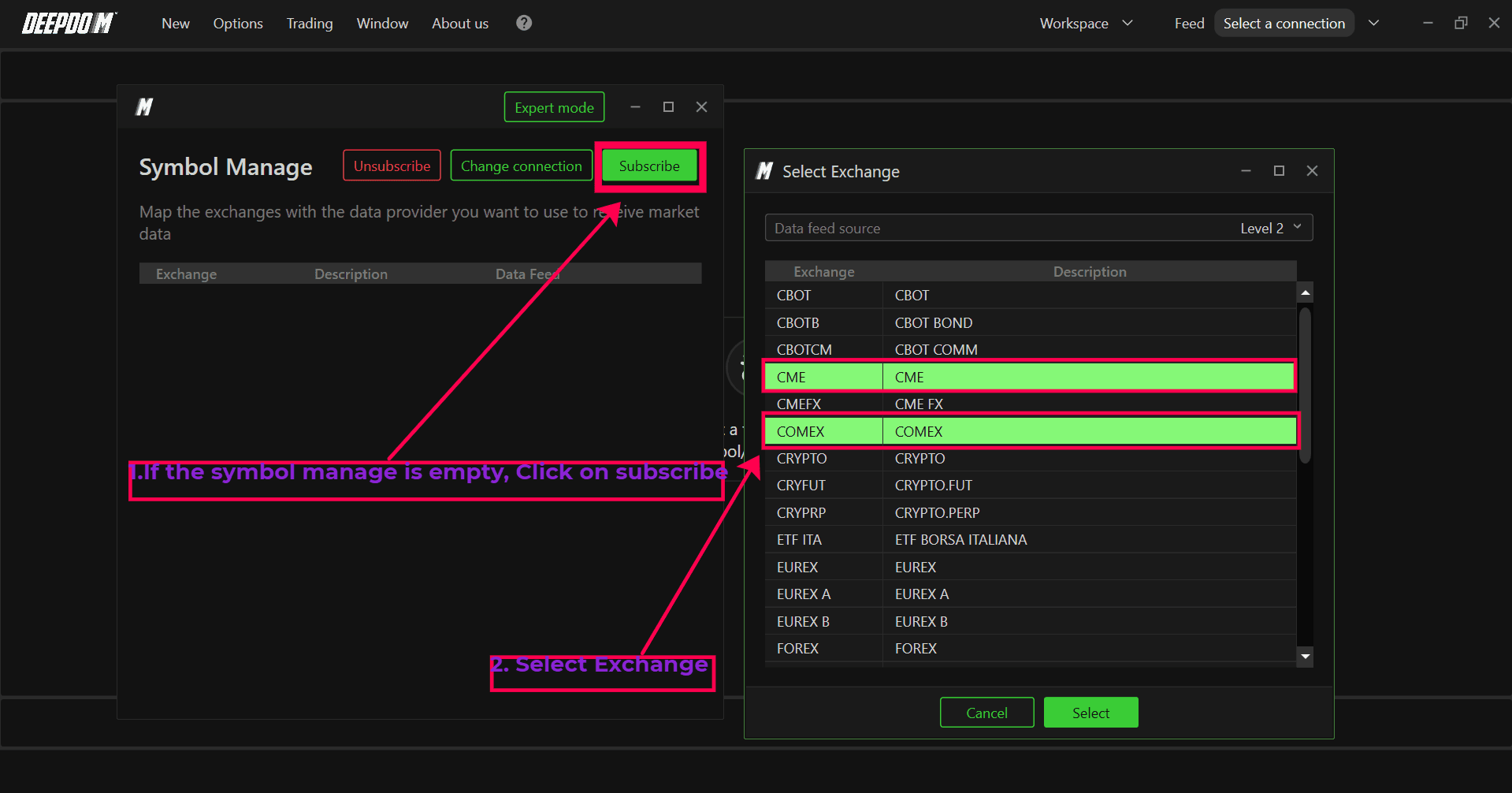
In Symbols Manage, click the Subscribe button.
In the top menu of the window, select the new connection you want to use.
Use left‑click (or Ctrl + left‑click for multiple selection) to choose the desired markets.
Click Select to confirm.
Close the window to complete the procedure.
If Markets Were Added with Another Connection
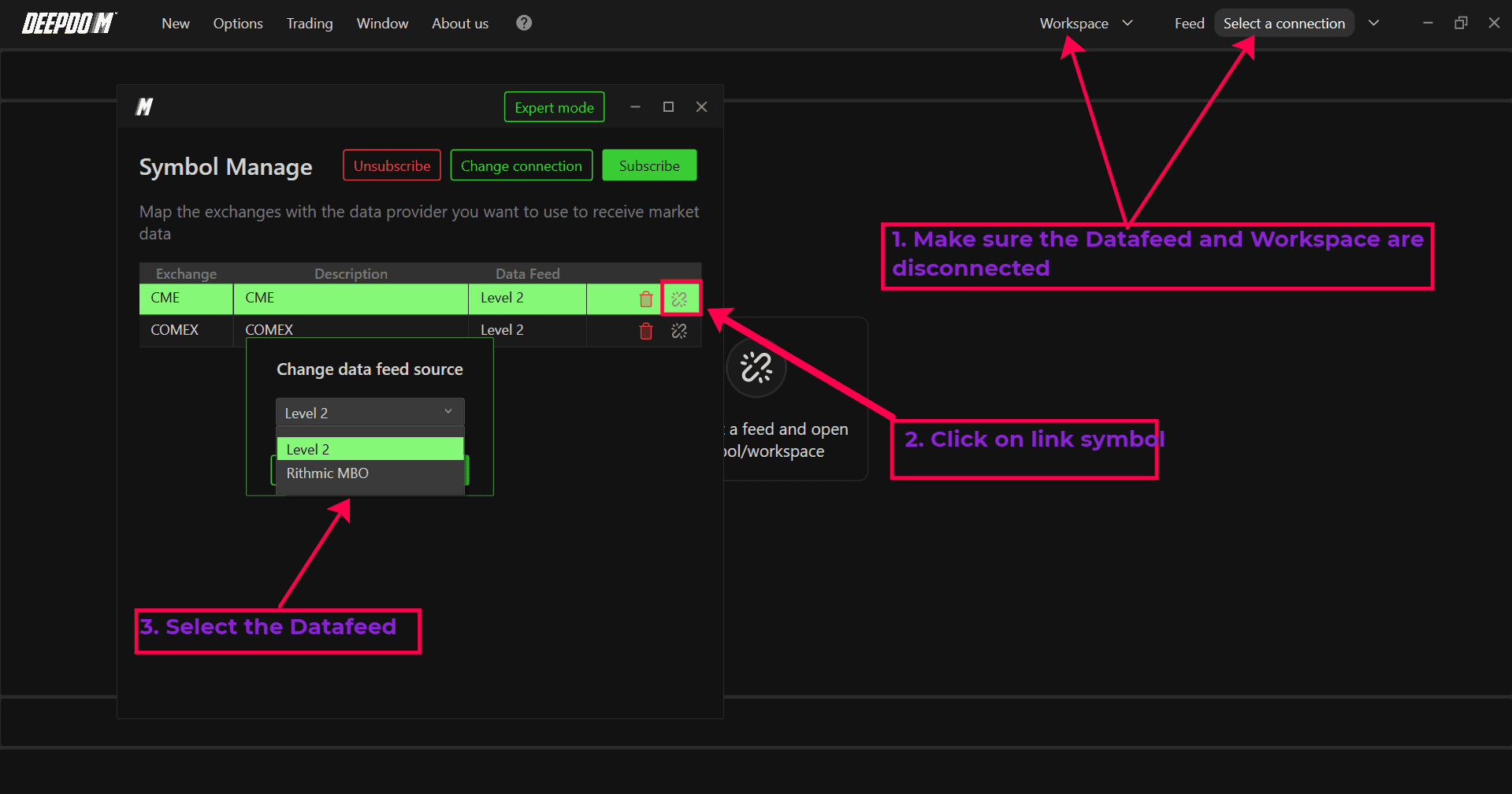
In Symbols Manage, select the existing market entry.
Right‑click on link symbol and choose the new connection from the dropdown menu.
Close the window to apply the changes.
After updating the mappings, reconnect your data feed and reopen your Workspaces. The markets will now be correctly linked to the chosen connection in DeepDom.
Still Having Trouble?
Our support team is available 24/7 and ready to help you with any issue you encounter. When you reach out, please include:
A screenshot of the issue.
A brief description of what you were trying to do.
Support Ticket (fastest response): visit www.deepcharts.com and create a support ticket directly on our website.
Email Support: you can also reach us at support@deepcharts.com. Please note that email responses may take a little longer than a support ticket.
