Trading
Updated:
How to Open the Orders Window
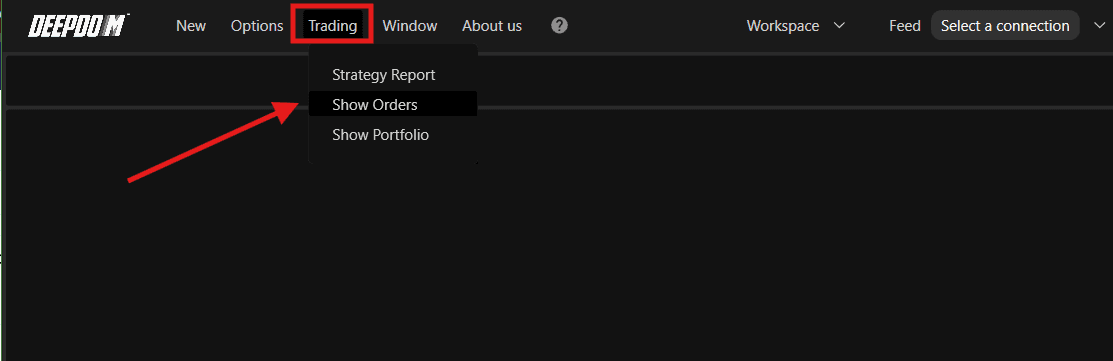
Click on the Trading menu in DeepDom
Select Show Orders from the dropdown menu
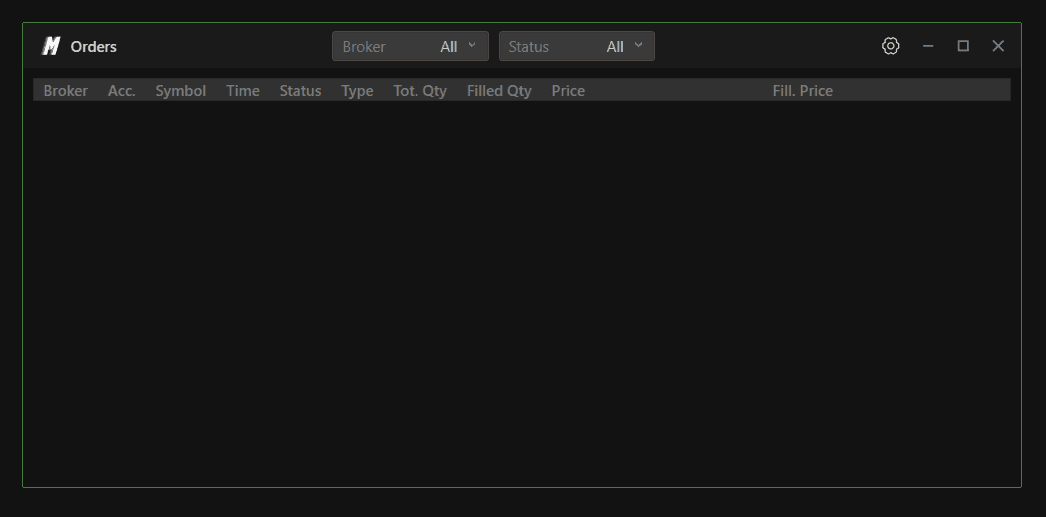
The Orders Window will open, displaying your current orders

Conclusion
The Orders Window keeps all your order activity visible and accessible in one place, making it easier to stay on top of your positions while analyzing the market.
Still Having Trouble?
Our support team is available 24/7 and ready to help you with any issue you encounter.
When reaching out, please include:
A screenshot of the issue
A brief description of what you were trying to do
Support Ticket (Fastest Response) Visit www.deepcharts.com and create a support ticket directly on our website.
Email Support Reach us at support@deepcharts.com — please note that email responses may take a little longer than a support ticket.
